


Camera for Android - Fast Snap
4.5581.00 Reviews
App Specs
- Version
- 2.9.5
- Updated On
- License
- Free
- Downloads
- 10,000,000+
- Developer
- iMediaStar
- Categories
- Photography
- Platform
- Android
Screenshots
 Analysis by AppCompare
I reach for Camera for Android - Fast Snap when I want to open a camera quickly and take an ordinary photo without first navigating a pile of creative options. It is a free photography app from iMediaStar, and its appeal is easy to understand: a straightforward shooting experience, tools for adjusting a picture, and a focus on getting to the shutter promptly. I would consider it most useful as a practical camera alternative, rather than as a replacement for a dedicated editing suite or a phone’s more advanced camera controls.
A simple workflow for everyday moments
My preferred way to use it is to decide what I need before opening the camera: a quick picture, a short video, or a photo that needs a small adjustment afterward. That sounds basic, but it helps keep a fast camera app useful. When the moment is brief, I avoid changing settings on the fly and concentrate on framing, focus, and taking the shot. For a scene that will wait, I can take a moment to check the available controls instead.
A realistic example is photographing a handwritten note or a label while running errands. I would get close enough for the text to fill the frame, hold the phone steady, and check that the important lines are sharp before taking the picture. A second frame from a slightly different angle can be worthwhile if overhead light creates glare. That small habit is more dependable than expecting an effect or automatic adjustment to fix a difficult composition later.
Who benefits most, and who may prefer another camera
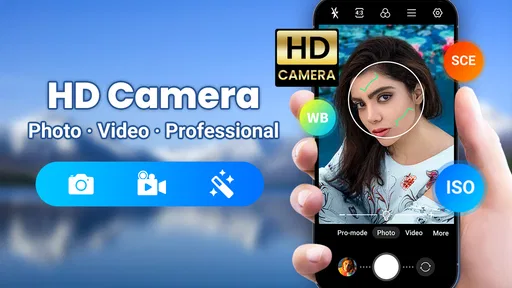
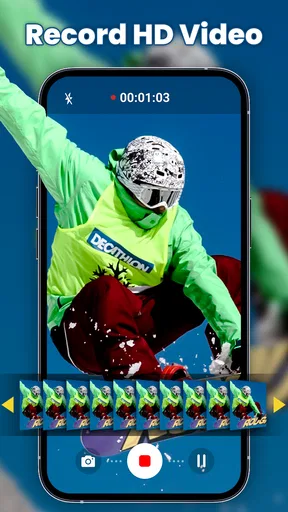
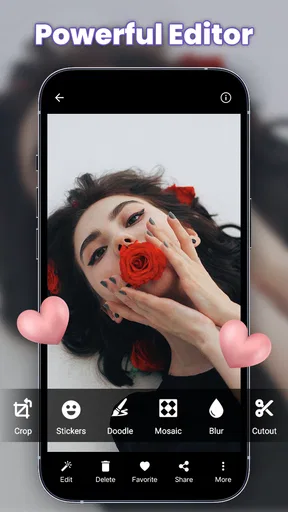
This is a sensible choice for someone who mainly takes casual photos, wants quick access to shooting, and likes having a basic editor nearby. The store summary describes HD video capture and professional effects, while the app’s broader appeal is its combination of camera and editing tasks in one place. I can see it suiting a person who wants to photograph family moments, travel details, food, or everyday objects without building a complicated workflow.
If you routinely work with manual exposure, carefully controlled focus, or a particular phone-maker camera feature, the built-in camera may be the better first stop. Native camera apps are often closely tied to their device’s processing and modes, so a third-party camera should not be assumed to produce better results on every phone. For detailed retouching, layers, or a more deliberate color workflow, I would also use a specialist editor after shooting rather than expect a quick camera app to do everything.
Settings and small habits worth checking
Before relying on a camera app for an important moment, I recommend taking a few test pictures in the places where you usually shoot. Try a bright outdoor scene, an indoor room, and a close-up with small details. Compare how the saved images look in the gallery, not just in the live preview. This gives you a practical sense of how the app and your particular phone handle lighting and detail, without assuming that every Android camera behaves the same way.
For video, a short test clip can reveal whether your framing, hand position, and sound are suitable for the intended use. If you are recording something for a message or a personal reminder, hold the phone steadily and keep the subject away from the edge of the frame. These are simple choices, but they often matter more than adding an effect afterward. The app’s editing tools can help with quick finishing, while careful capture remains the better starting point.
Worth Reading Before You Choose

EA SPORTS FC Mobile 26 Is a Bigger Football Game, but It Takes Time

Flipboard Shows What News Apps Must Do Beyond the Feed

Switching to Android Auto Means Rethinking Your Driving Routine

Google Calendar Makes a Crowded Week Easier to Manage

Ludo King Makes the Most of the Minutes Between Plans

Baby Panda World Brings Quick Play to Modern Phones, but Its Game Library Feels Busy
Where the convenience has limits
Fast access is valuable, but it is not a guarantee that every photo will be sharp or well exposed. Moving subjects, dim rooms, reflections, and shaky hands can still produce disappointing results. I would not rely on an untested setup for a one-time event; make a few ordinary test shots first, and keep the phone’s standard camera available if it handles a particular situation better.
Effects can be fun, yet they are easiest to judge when used with restraint. I would take a clean version of a photo before committing to a more noticeable look, especially for pictures that need to remain readable or natural. For receipts, signs, and documents, clarity and even lighting matter more than stylization. And for a scene that is changing quickly, pausing to explore controls can defeat the point of a quick-snap workflow.
Speed and Simplicity at Its Core
Right off the bat, the most noticeable feature of Camera for Android - Fast Snap is its blazing speed. From the moment you tap the icon, you're ready to shoot in under a second. No more fumbling around while the perfect shot slips away. This app is all about capturing the moment, and it does it brilliantly.
The interface is refreshingly simple. It's designed with the user in mind—no clutter, no unnecessary features. Just point, shoot, and you're done. This simplicity is a breath of fresh air, especially when so many apps out there are overloaded with features that most of us never use.
Features That Matter
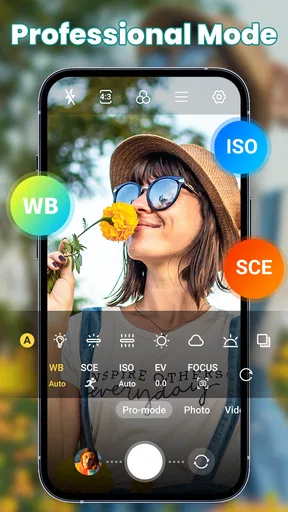
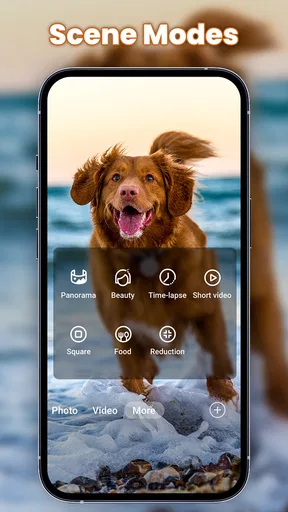
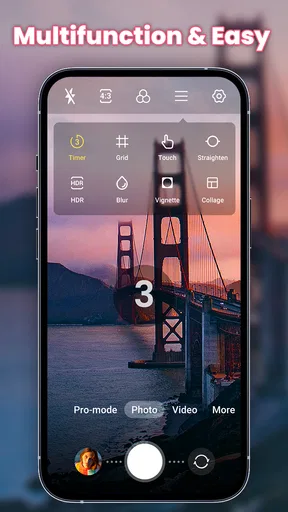
While keeping things simple, Fast Snap doesn't skimp on the features that truly matter. It includes a variety of shooting modes like burst mode, which is perfect for capturing action shots or rapidly changing scenes. The app also offers manual controls for those who like to tweak their settings, including ISO, exposure, and white balance.
Another cool feature is the silent shutter option. Ever wanted to take a picture without anyone else noticing? This feature lets you do just that, making it perfect for candid shots or when you’re in a quiet setting.
Quality You Can Count On
Now, what's speed without quality, right? Thankfully, Fast Snap delivers on both fronts. The app leverages your phone’s full camera capabilities to ensure that every shot is crisp and clear. Whether you're taking a quick selfie or shooting a landscape, the results are consistently impressive.
Moreover, the app automatically adjusts to different lighting conditions, which is a lifesaver when you're moving from indoors to outdoors. No more washed-out or overly dark photos—just vibrant, true-to-life images.
Seamless Sharing and Storage
Once you've got your perfect shot, sharing it is a breeze. The app integrates smoothly with all major social media platforms, so you can post your photos in just a couple of taps. Plus, it offers cloud storage options, ensuring that your photos are safe and accessible from anywhere.
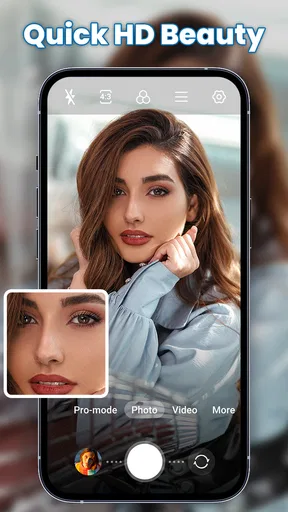
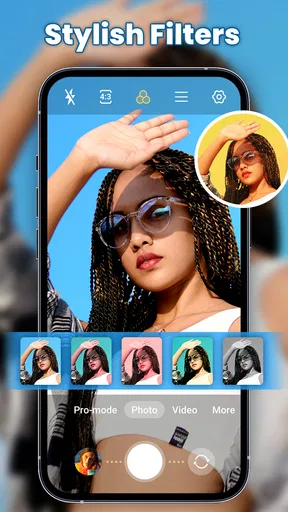
The app also includes basic editing tools, allowing you to make quick adjustments or add filters before sharing. This is super handy for those moments when you want your photos to pop with minimal effort.
Intuitive User Experience
One of the things I love about Camera for Android - Fast Snap is how intuitive it is to use. The developers have clearly put a lot of thought into the user experience. The controls are where you expect them to be, and the app responds instantly to your inputs.
Even if you're not tech-savvy, you'll find yourself navigating through the app with ease. It's designed to be user-friendly, making it accessible to everyone, from photography newbies to seasoned pros.
Using it as part of a camera routine
For people who take similar pictures repeatedly, a consistent routine can be more useful than trying a new effect each time. I would keep the framing and lighting approach consistent for a set of product photos, for example, and only adjust the composition when the subject demands it. For a quick sequence of movement, burst shooting can give you more moments to choose from, though it also means reviewing several frames afterward. That trade-off makes burst mode helpful for action, but less appealing when storage space or a tidy gallery matters.
Manual controls are worth exploring when the automatic result is not giving you what you want, rather than being a requirement for every shot. If a scene looks too bright or too dim, changing exposure can be a direct way to improve it; white balance is more relevant when indoor lighting makes colors look noticeably off. I would change one setting at a time and take a comparison shot. This makes it easier to understand what helped, and it avoids turning a quick camera session into guesswork.
What to expect before installing
The app is rated for Everyone, is free to install, and offers optional in-app purchases priced from $2.99 to $9.99 per item. Its average is 4.6 from around 56,000 ratings, with over 10 million installs. It was released on September 1, 2022, and version 2.9.1 requires Android 6.0 or later. Those details make it broadly accessible to many Android users, though the actual shooting experience still depends on the phone’s camera hardware and how the app works with it.
If you are deciding whether to pay for anything, first use the free experience for the jobs you actually have in mind. A quick camera app earns its place by fitting naturally into your routine, not by accumulating options you rarely touch. I would also check that the results save where I expect and look right in the gallery before depending on it for an important set of pictures. That is a useful check for any camera app, especially when switching away from the one already on the phone.
Final Thoughts
In a world where capturing memories quickly and effectively is key, Camera for Android - Fast Snap stands out as a reliable companion. Its combination of speed, simplicity, and quality makes it a top choice for anyone looking to enhance their mobile photography experience.
If you haven't tried it yet, I genuinely recommend giving it a shot. It's available for download on all major app stores, and I promise, once you start using it, you'll wonder how you ever managed without it. Happy snapping!
My practical verdict
I would try it if the built-in camera feels awkward to reach or if I want shooting and light editing together in a simple photography app. Its strongest case is convenience: open it, frame a shot, and move on, with more control available when there is time to use it. I would not choose it on the assumption that it will outperform every manufacturer camera, or that quick access alone solves challenging light and motion.
For a beginner, the most useful way to get comfortable is to take a few everyday photos, compare them with the phone’s usual camera, and keep the one that feels more dependable. For a more experienced user, the payoff comes from knowing when to leave settings alone, when a manual adjustment is worth it, and when another tool is better suited to the task. That is the balance I like here: a direct camera routine for ordinary moments, with enough room to experiment when the shot calls for it.
Pros
- Quick and easy photo capture.
- User-friendly interface.
- Minimal lag between shots.
- Lightweight and efficient.
- Supports multiple photo formats.
Cons
- Limited editing features.
- No cloud backup integration.
- Lacks advanced controls.
- Ads can be intrusive.
- In-app purchases for filters.
FAQs for Camera for Android - Fast Snap
What features does Camera for Android - Fast Snap offer?
Camera for Android - Fast Snap provides a range of features to enhance your photography experience. These include quick shutter speed, multiple shooting modes, real-time filters, and easy sharing options. The app also supports high-resolution image capture and offers manual controls for ISO, exposure, and focus, allowing for professional-level photography.
Is Camera for Android - Fast Snap user-friendly for beginners?
Yes, Camera for Android - Fast Snap is designed with an intuitive interface that is easy for beginners to navigate. The app provides guided tutorials and tips to help new users understand and utilize its features effectively. Additionally, presets and automatic adjustments make it simple to take great photos without extensive knowledge of photography.
How does Camera for Android - Fast Snap perform in low-light conditions?
Camera for Android - Fast Snap includes features specifically for low-light conditions, such as night mode and enhanced ISO settings. These features work together to reduce noise and improve clarity in dim environments. The app also supports HDR mode, which helps balance exposure in challenging lighting situations, ensuring your nighttime photos are vibrant and detailed.
Are there any in-app purchases in Camera for Android - Fast Snap?
Camera for Android - Fast Snap offers a free version with basic features, but there are in-app purchases available for users who want to unlock advanced options. These include additional filters, premium shooting modes, and extended editing tools. While the free version is sufficient for casual users, the upgrades can significantly enhance the app's capabilities for photography enthusiasts.
Does Camera for Android - Fast Snap support video recording?
Yes, Camera for Android - Fast Snap supports high-definition video recording. Users can capture videos with various frame rates and resolutions, making it suitable for both casual recording and more professional projects. The app also offers basic video editing tools, such as trimming and applying filters, to refine your footage directly within the app.


